Slap Sahur
About Slap Sahur
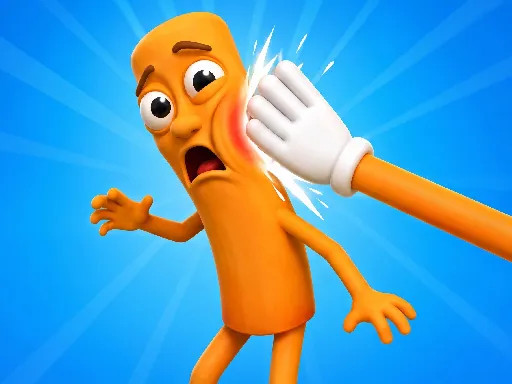
Left hand on A, right hand on D, and a punch on the space bar is the whole control scheme, which puts this squarely in the meme-game category it was built for. Alternating the two slap keys is the core rhythm, and the punch is the heavier option you mix in rather than spam. On a phone it becomes a left-right finger drag with a tap for the punch, and the portrait layout is clearly the intended one. Nothing here is deep, but the timing between alternating slaps is tighter than the presentation suggests.
How to Play
- Press A for a left slap and D for a right slap.
- Hit Space, Enter or the right mouse button to punch.
- Alternate the two slap keys instead of repeating one.
- On mobile, drag left and right, and tap to punch.
Slap Sahur FAQ
Does alternating slaps beat just spamming one key?
Yes. Repeating a single side gets less out of each hit than switching between them, so the rhythm of alternating is what the scoring actually rewards. The punch is worth saving rather than mixing in constantly.
How do you play Slap Sahur?
Press A for a left slap and D for a right slap. Hit Space, Enter or the right mouse button to punch. Alternate the two slap keys instead of repeating one. On mobile, drag left and right, and tap to punch.
Is Slap Sahur free to play?
Yes. Slap Sahur is free to play in your browser on BreakArcade. There is no purchase, no subscription and no account required - open the page and press Play.
Do I need to download Slap Sahur?
No. Slap Sahur is an HTML5 game that runs inside your browser tab. Nothing is installed on your device, and closing the tab ends the session.
Can I play Slap Sahur on a school Chromebook?
Slap Sahur runs on any device with a modern browser, including low-powered school Chromebooks, because it loads in the browser rather than installing. Whether it opens depends on your network - some schools block the game host, which is outside our control.
More Idle & Tycoon Games

Last updated: 2026-09-19