Brainrot: Castle Siege!
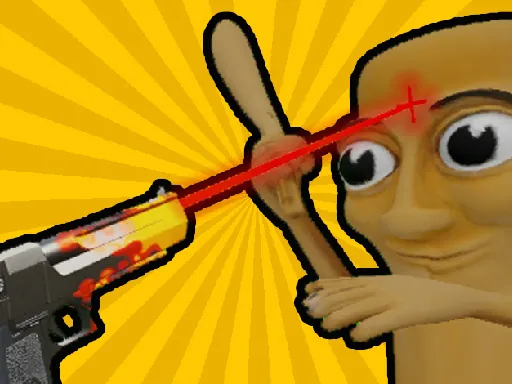
About Brainrot: Castle Siege!
Brainrot: Castle Siege puts you behind your own walls instead of charging forward. On PC, the left mouse button fires at waves of creatures closing in on the castle, holding the right mouse button lets you look around the battlefield to track threats approaching from the side, and the scroll wheel switches between weapons without opening a menu. Mobile trades the free-look for a swipe-to-look control and a dedicated fire button. Because the camera has to be actively swung around to spot flanking waves, standing still and only firing straight ahead is how most runs lose ground — enemies approaching from an unwatched angle reach the wall while attention stays locked on the group directly in front.
How to Play
- On PC, fire with the left mouse button and hold the right button to look around the battlefield.
- Scroll the mouse wheel to switch weapons mid-fight without pausing.
- On mobile, swipe to look around and tap the fire button to shoot.
- Actively swing the camera to check your flanks — enemies approaching from the side are easy to miss while facing forward.
Brainrot: Castle Siege! FAQ
Why does the castle keep taking damage even while every enemy in front is being cleared?
Enemies approach from multiple angles, not just head-on, so if the camera stays locked on the group directly ahead, threats closing in from the side or behind reach the wall unnoticed and unopposed.
Does switching weapons with the scroll wheel cost time compared to just holding one gun?
Switching is instant and doesn't pause the fight, so cycling to a weapon better suited for a specific wave — faster fire rate for swarms, more damage for a tougher single target — is worth doing rather than sticking with whatever was equipped first.
How do you play Brainrot: Castle Siege!?
On PC, fire with the left mouse button and hold the right button to look around the battlefield. Scroll the mouse wheel to switch weapons mid-fight without pausing. On mobile, swipe to look around and tap the fire button to shoot. Actively swing the camera to check your flanks — enemies approaching from the side are easy to miss while facing forward.
Is Brainrot: Castle Siege! free to play?
Yes. Brainrot: Castle Siege! is free to play in your browser on BreakArcade. There is no purchase, no subscription and no account required - open the page and press Play.
Do I need to download Brainrot: Castle Siege!?
No. Brainrot: Castle Siege! is an HTML5 game that runs inside your browser tab. Nothing is installed on your device, and closing the tab ends the session.
Can I play Brainrot: Castle Siege! on a school Chromebook?
Brainrot: Castle Siege! runs on any device with a modern browser, including low-powered school Chromebooks, because it loads in the browser rather than installing. Whether it opens depends on your network - some schools block the game host, which is outside our control.
More Shooting Games





Last updated: 2026-09-19