PixelBlock
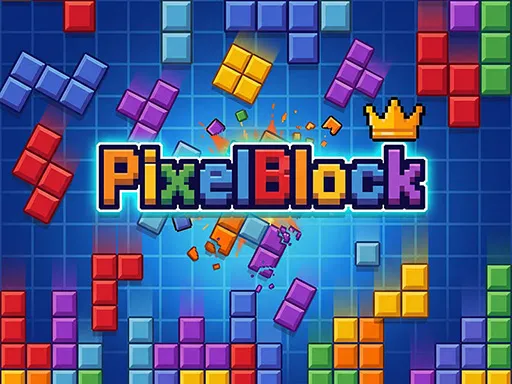
About PixelBlock
Instead of clearing plain grey rows, PixelBlock hides pictures under the grid. Coloured pieces wait in a tray below the board and you drag each one onto the squares by hand, so nothing falls on a timer — the pressure comes from running out of room rather than running out of time. Filling a complete row or column shatters it in a burst of debris and chips away part of the block art underneath. The board is small enough that a couple of careless placements can wall you in, and the run ends the moment no waiting piece fits anywhere on the grid.
How to Play
- Drag a piece from the tray beneath the board and drop it onto empty squares — a piece only lands if every one of its cells has room.
- Fill an entire row or column to smash it and expose more of the picture hidden under the grid.
- Keep one open corner or a clear column in reserve; the run ends as soon as none of the waiting pieces can be placed.
- Set up a row and a column that complete on the same drop to clear two lines at once.
PixelBlock FAQ
Can pieces be rotated in PixelBlock?
Placement is drag-and-drop, so plan around the shape you are handed rather than expecting to turn it. Choosing which of the waiting pieces to commit first is the real decision.
What is the block art underneath the grid?
Each board is layered over a pixel picture, and every row or column you clear breaks off another chunk of it — so progress stays visible even on a run that scores badly.
How do you play PixelBlock?
Drag a piece from the tray beneath the board and drop it onto empty squares — a piece only lands if every one of its cells has room. Fill an entire row or column to smash it and expose more of the picture hidden under the grid. Keep one open corner or a clear column in reserve; the run ends as soon as none of the waiting pieces can be placed. Set up a row and a column that complete on the same drop to clear two lines at once.
Is PixelBlock free to play?
Yes. PixelBlock is free to play in your browser on BreakArcade. There is no purchase, no subscription and no account required - open the page and press Play.
Do I need to download PixelBlock?
No. PixelBlock is an HTML5 game that runs inside your browser tab. Nothing is installed on your device, and closing the tab ends the session.
Can I play PixelBlock on a school Chromebook?
PixelBlock runs on any device with a modern browser, including low-powered school Chromebooks, because it loads in the browser rather than installing. Whether it opens depends on your network - some schools block the game host, which is outside our control.
More Puzzle Games





Last updated: 2026-09-19