Meme Tiles
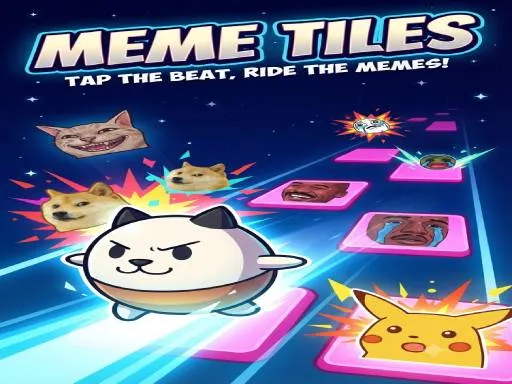
About Meme Tiles
Two lanes and two keys is the whole interface, with the left and right arrows on a desktop or the two halves of the screen on a phone. Tiles scroll down in time with the music and you tap the matching side as each reaches the bottom, which is the piano-tiles formula wearing meme artwork. The portrait layout is the intended one and the desktop keys are a straight port of it. Difficulty comes from the tempo rather than from added lanes, so the ceiling is how fast you can alternate two inputs cleanly.
How to Play
- Press the left or right arrow key as each tile reaches the bottom.
- On a phone, tap the left or right half of the screen instead.
- Alternate cleanly rather than trying to anticipate several tiles ahead.
- Follow the music, since the tempo is the difficulty.
Meme Tiles FAQ
Do more lanes open up later on?
No, it stays at two throughout. Everything that gets harder does so through tempo, which means the skill being tested is how fast you can alternate two keys accurately rather than how much you can track at once.
How do you play Meme Tiles?
Press the left or right arrow key as each tile reaches the bottom. On a phone, tap the left or right half of the screen instead. Alternate cleanly rather than trying to anticipate several tiles ahead. Follow the music, since the tempo is the difficulty.
Is Meme Tiles free to play?
Yes. Meme Tiles is free to play in your browser on BreakArcade. There is no purchase, no subscription and no account required - open the page and press Play.
Do I need to download Meme Tiles?
No. Meme Tiles is an HTML5 game that runs inside your browser tab. Nothing is installed on your device, and closing the tab ends the session.
Can I play Meme Tiles on a school Chromebook?
Meme Tiles runs on any device with a modern browser, including low-powered school Chromebooks, because it loads in the browser rather than installing. Whether it opens depends on your network - some schools block the game host, which is outside our control.
More Runner Games





Last updated: 2026-09-19