Zombie Siege
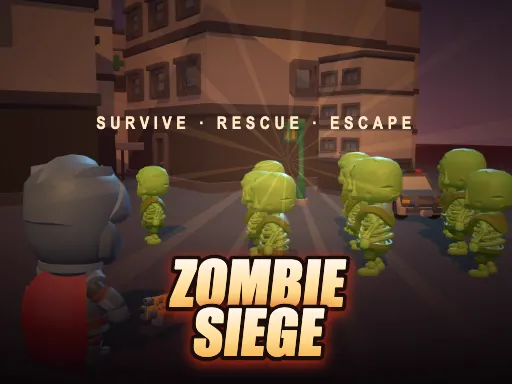
About Zombie Siege
Your weapon fires on its own whenever something is in range, so the entire game is about where you stand. Backing into a corner concentrates the crowd into one direction, which is either the smartest or the worst thing you can do depending on how many are left. The bomb and the dash both exist for the moment that decision goes wrong, and using either one early is usually why a run ends. Runs are short, restarts are instant, and the difficulty comes from crowd shape rather than aim.
How to Play
- Move with WASD or the arrow keys - your weapon fires automatically in range.
- Position matters more than aim; funnel the crowd into one direction.
- Press E to drop a bomb when you get surrounded.
- Press Shift to dash out of a bad spot.
Zombie Siege FAQ
Where should I stand in Zombie Siege?
Somewhere with one approach rather than in the open. Your weapon fires automatically at whatever is in range, so aim is not the problem - being surrounded is. A doorway or corridor turns a crowd into a queue, which is the difference between a short run and a long one.
How do you play Zombie Siege?
Move with WASD or the arrow keys - your weapon fires automatically in range. Position matters more than aim; funnel the crowd into one direction. Press E to drop a bomb when you get surrounded. Press Shift to dash out of a bad spot.
Is Zombie Siege free to play?
Yes. Zombie Siege is free to play in your browser on BreakArcade. There is no purchase, no subscription and no account required - open the page and press Play.
Do I need to download Zombie Siege?
No. Zombie Siege is an HTML5 game that runs inside your browser tab. Nothing is installed on your device, and closing the tab ends the session.
Can I play Zombie Siege on a school Chromebook?
Zombie Siege runs on any device with a modern browser, including low-powered school Chromebooks, because it loads in the browser rather than installing. Whether it opens depends on your network - some schools block the game host, which is outside our control.
More Shooting Games
Last updated: 2026-09-19