Zombie Quell 3D
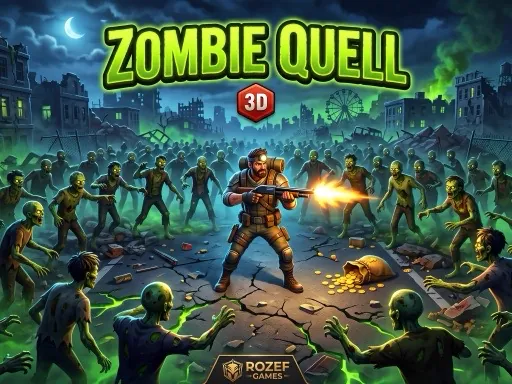
About Zombie Quell 3D
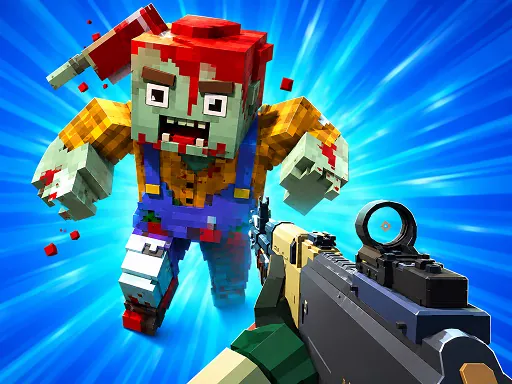
Standard first-person survival shooter controls - WASD to move, mouse to aim, left click to fire, R to reload - but the pace comes from how fast weapon pickups run out. E grabs whatever gun is on the ground near you, Q or Tab cycles through what's already in your inventory, and running dry mid-crowd with nothing cycled in is how most runs actually end, not getting cornered. Zombies come from multiple directions rather than a single lane, so standing still to line up a headshot is usually the wrong call compared to circling toward open ground while firing. It's built for landscape play, and the on-screen sticks on mobile mirror the desktop layout closely enough that switching between them isn't jarring.
How to Play
- Move with WASD (or the left stick on mobile) and aim with the mouse or right stick
- Left click, or tap the fire button, to shoot; press R to reload
- Press E to pick up nearby weapons, and Q or Tab to switch between ones you are carrying
- Keep moving toward open space rather than letting zombies surround you from behind
Zombie Quell 3D FAQ
Why do I keep dying even when I am hitting most of my shots?
Zombies approach from multiple directions at once rather than a single lane, so standing still to land headshots often means getting surrounded from behind while focused on what is in front. Circling toward open ground while firing keeps more escape routes available than holding one spot.
What is the fastest way to die in a firefight here?
Running dry mid-crowd without a weapon already cycled in is the most common way runs end, not getting cornered by numbers. Picking up a second weapon with E before your current one empties, so Q or Tab can switch instantly, avoids the reload gap that gets players killed.
How do you play Zombie Quell 3D?
Move with WASD (or the left stick on mobile) and aim with the mouse or right stick Left click, or tap the fire button, to shoot; press R to reload Press E to pick up nearby weapons, and Q or Tab to switch between ones you are carrying Keep moving toward open space rather than letting zombies surround you from behind
Is Zombie Quell 3D free to play?
Yes. Zombie Quell 3D is free to play in your browser on BreakArcade. There is no purchase, no subscription and no account required - open the page and press Play.
Do I need to download Zombie Quell 3D?
No. Zombie Quell 3D is an HTML5 game that runs inside your browser tab. Nothing is installed on your device, and closing the tab ends the session.
Can I play Zombie Quell 3D on a school Chromebook?
Zombie Quell 3D runs on any device with a modern browser, including low-powered school Chromebooks, because it loads in the browser rather than installing. Whether it opens depends on your network - some schools block the game host, which is outside our control.
More Shooting Games
Last updated: 2026-09-19