DinoHop
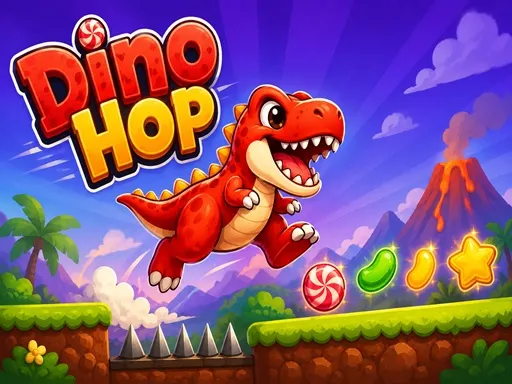
About DinoHop
Two inputs, sitting on opposite sides of the screen: click the left half to jump, the right half to duck. The dinosaur runs by itself past spikes that want a jump and low hazards that want a duck, and because the halves are large the whole thing can be played with a thumb resting on each edge of a phone. Speed climbs the further you get, which turns the choice between the two into something made on reflex rather than by reading the ground ahead. Sweets and stars sit in positions that only pay off if you were committed to one of the two anyway.
How to Play
- Click or tap the left side of the screen to jump.
- Click or tap the right side to duck.
- Read the obstacle after next rather than the one you are on.
- Take the sweets and stars only when they already sit on your line.
DinoHop FAQ
Why do I keep doing the opposite of what I meant?
Because the two inputs are split by screen half rather than by key, so a rushed tap on the wrong side jumps when you wanted to duck. Settling a thumb on each edge of the screen removes most of those mistakes on its own.
How do you play DinoHop?
Click or tap the left side of the screen to jump. Click or tap the right side to duck. Read the obstacle after next rather than the one you are on. Take the sweets and stars only when they already sit on your line.
Is DinoHop free to play?
Yes. DinoHop is free to play in your browser on BreakArcade. There is no purchase, no subscription and no account required - open the page and press Play.
Do I need to download DinoHop?
No. DinoHop is an HTML5 game that runs inside your browser tab. Nothing is installed on your device, and closing the tab ends the session.
Can I play DinoHop on a school Chromebook?
DinoHop runs on any device with a modern browser, including low-powered school Chromebooks, because it loads in the browser rather than installing. Whether it opens depends on your network - some schools block the game host, which is outside our control.
More Runner Games


Last updated: 2026-09-19