Colorify Color by Number
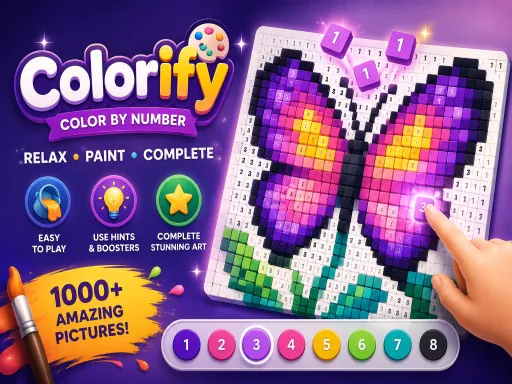
About Colorify Color by Number
Colorify works like a digital paint-by-number: tap a numbered region and it fills with the matching color from the palette along the bottom, and the image only reads correctly once most of the small regions are filled in alongside the large ones. Zooming in with the mouse wheel or a pinch gesture is necessary more often than in similar apps, since some numbered sections are only a few pixels wide and easy to miss at the default zoom level. There's no timer or scoring, so the appeal sits closer to a relaxation activity than a puzzle — the main friction is hunting down the last few unfilled slivers before an image counts as complete.
How to Play
- Tap a numbered region to fill it with its matching palette color.
- Zoom in with the mouse wheel or a pinch gesture for small regions.
- Drag to pan around the canvas once you're zoomed in.
- Check the palette bar for the current color before tapping the next region.
Colorify Color by Number FAQ
Why does my picture still look unfinished after I've filled every region I can see?
A handful of numbered slivers are usually hiding along edges or inside larger shapes at the default zoom level, so it's worth zooming all the way in and panning along every border before assuming a picture is done — that's where the last few unfilled spots tend to sit.
How do you play Colorify Color by Number?
Tap a numbered region to fill it with its matching palette color. Zoom in with the mouse wheel or a pinch gesture for small regions. Drag to pan around the canvas once you're zoomed in. Check the palette bar for the current color before tapping the next region.
Is Colorify Color by Number free to play?
Yes. Colorify Color by Number is free to play in your browser on BreakArcade. There is no purchase, no subscription and no account required - open the page and press Play.
Do I need to download Colorify Color by Number?
No. Colorify Color by Number is an HTML5 game that runs inside your browser tab. Nothing is installed on your device, and closing the tab ends the session.
Can I play Colorify Color by Number on a school Chromebook?
Colorify Color by Number runs on any device with a modern browser, including low-powered school Chromebooks, because it loads in the browser rather than installing. Whether it opens depends on your network - some schools block the game host, which is outside our control.
More Puzzle Games







Last updated: 2026-09-19