Variety Mecha
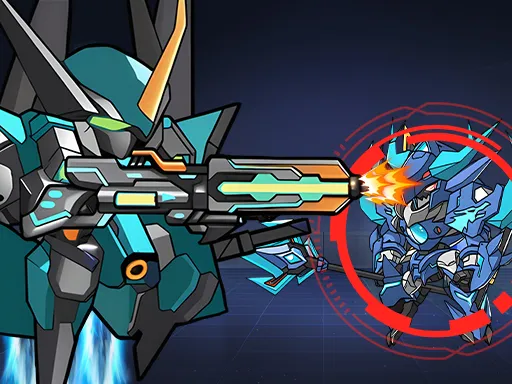
About Variety Mecha
A dedicated dash key is unusual in a browser shoot-em-up, and it changes how fights play out. Shooting lives on J and the dash sits on K, which means repositioning is always available and never costs you your weapon, so trading shots from a fixed position is almost always the wrong call. The mechs are large targets, and the dash is what stops that from being a fatal design problem. Movement stays on the standard four keys, and everything transfers to on-screen buttons on a phone, where the dash is noticeably harder to time.
How to Play
- Move with WASD and shoot with J.
- Press K to dash out of incoming fire.
- Use the dash to reposition constantly rather than trading shots in place.
- On mobile, use the on-screen buttons for the same actions.
Variety Mecha FAQ
Do I lose my shot while dashing?
No, and that is what makes the dash central rather than a panic button. Since repositioning is free, standing still to fire is a choice you are making rather than one the controls force on you.
How do you play Variety Mecha?
Move with WASD and shoot with J. Press K to dash out of incoming fire. Use the dash to reposition constantly rather than trading shots in place. On mobile, use the on-screen buttons for the same actions.
Is Variety Mecha free to play?
Yes. Variety Mecha is free to play in your browser on BreakArcade. There is no purchase, no subscription and no account required - open the page and press Play.
Do I need to download Variety Mecha?
No. Variety Mecha is an HTML5 game that runs inside your browser tab. Nothing is installed on your device, and closing the tab ends the session.
Can I play Variety Mecha on a school Chromebook?
Variety Mecha runs on any device with a modern browser, including low-powered school Chromebooks, because it loads in the browser rather than installing. Whether it opens depends on your network - some schools block the game host, which is outside our control.
More Shooting Games

Last updated: 2026-09-19