Upgrade the CARS
About Upgrade the CARS
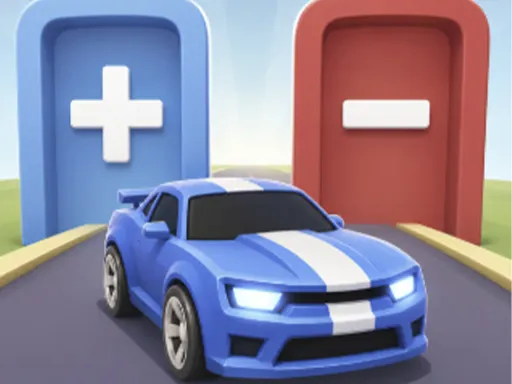
Green gates add parts to your car and red ones strip them away, and Upgrade the CARS is the tug of war between them along a straight run of track. Steering is a single left-right drag, so the whole game is choosing which gate to pass through when they are placed side by side — a big engine boost sitting next to a body penalty, that sort of decision. Whatever the car looks like at the finish is what you cash in, and the money goes into the garage: new parking spots, new vehicles, new paint in the texture shop.
How to Play
- Drag with the mouse or swipe on touch to steer the car left and right.
- Drive through the green plus gates to upgrade your engine, body and speed.
- Avoid the red minus gates, which strip upgrades back off the car.
- Cash the finished car in at the end of the run, then use the on-screen buttons to buy upgrades, sell cars and unlock new spots.
Upgrade the CARS FAQ
What happens if you hit a red gate in Upgrade the CARS?
It removes upgrades you have already collected, so a run can end with a worse car than it started with. Because gates are often paired, the game is really about which side of the track to be on well before you reach them.
How do you play Upgrade the CARS?
Drag with the mouse or swipe on touch to steer the car left and right. Drive through the green plus gates to upgrade your engine, body and speed. Avoid the red minus gates, which strip upgrades back off the car. Cash the finished car in at the end of the run, then use the on-screen buttons to buy upgrades, sell cars and unlock new spots.
Is Upgrade the CARS free to play?
Yes. Upgrade the CARS is free to play in your browser on BreakArcade. There is no purchase, no subscription and no account required - open the page and press Play.
Do I need to download Upgrade the CARS?
No. Upgrade the CARS is an HTML5 game that runs inside your browser tab. Nothing is installed on your device, and closing the tab ends the session.
Can I play Upgrade the CARS on a school Chromebook?
Upgrade the CARS runs on any device with a modern browser, including low-powered school Chromebooks, because it loads in the browser rather than installing. Whether it opens depends on your network - some schools block the game host, which is outside our control.
More Driving Games








Last updated: 2026-09-19