Special Forces X
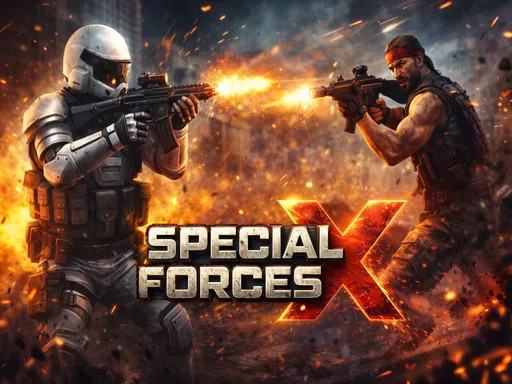
About Special Forces X
Movement and a fire button is all this asks you to manage, with WASD or the arrows to move and either Space or F to shoot. Stripping the controls back that far makes it immediately playable, and it also means the difficulty has to come from enemy placement rather than from anything you are executing. There is no aiming beyond the direction you are facing, so fights are settled by approach angle and by when you decide to commit. It loads fast and asks nothing of you upfront, which is most of the appeal.
How to Play
- Move with WASD or the arrow keys.
- Press Space or F to shoot.
- Face the direction you want to fire, since there is no separate aim.
- Choose your approach angle before entering a room.
Special Forces X FAQ
Is there a way to aim independently of movement?
No, you fire in the direction you are facing, which is why the angle you approach from does most of the work. Walking into a group from the wrong side cannot be corrected by aiming once you are there.
How do you play Special Forces X?
Move with WASD or the arrow keys. Press Space or F to shoot. Face the direction you want to fire, since there is no separate aim. Choose your approach angle before entering a room.
Is Special Forces X free to play?
Yes. Special Forces X is free to play in your browser on BreakArcade. There is no purchase, no subscription and no account required - open the page and press Play.
Do I need to download Special Forces X?
No. Special Forces X is an HTML5 game that runs inside your browser tab. Nothing is installed on your device, and closing the tab ends the session.
Can I play Special Forces X on a school Chromebook?
Special Forces X runs on any device with a modern browser, including low-powered school Chromebooks, because it loads in the browser rather than installing. Whether it opens depends on your network - some schools block the game host, which is outside our control.
More Shooting Games
Last updated: 2026-09-19