Rotating Bones 3D
About Rotating Bones 3D
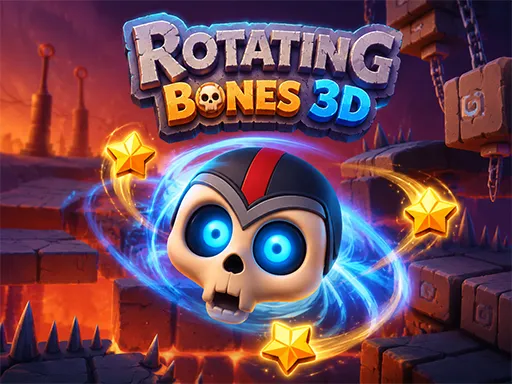
Mr Bones cannot jump. That single restriction is what makes Rotating Bones 3D interesting: you play a rolling skull in a floating world of ancient ruins, and instead of moving him directly you rotate the whole level so that gravity carries him where you want. Turning the world sideways turns a wall into a floor, which opens routes that did not exist a moment ago and drops spikes into places that were safe. Golden stars sit in corners that need two or three rotations to reach, and the traps make sure a careless spin costs the attempt.
How to Play
- Click or tap to rotate the level; the skull rolls under its own weight once gravity changes.
- Plan rotations in sequence — each turn redefines which surfaces are floors and which are drops.
- Collect the golden stars scattered through the ruins before heading for the exit.
- Keep the skull away from spikes and hazards, which stay dangerous no matter which way the world is facing.
Rotating Bones 3D FAQ
Can you move Mr Bones directly in Rotating Bones 3D?
No — he only rolls in response to gravity, and gravity only changes when you rotate the environment. Every solution is therefore a sequence of rotations rather than a set of movement inputs.
How do you play Rotating Bones 3D?
Click or tap to rotate the level; the skull rolls under its own weight once gravity changes. Plan rotations in sequence — each turn redefines which surfaces are floors and which are drops. Collect the golden stars scattered through the ruins before heading for the exit. Keep the skull away from spikes and hazards, which stay dangerous no matter which way the world is facing.
Is Rotating Bones 3D free to play?
Yes. Rotating Bones 3D is free to play in your browser on BreakArcade. There is no purchase, no subscription and no account required - open the page and press Play.
Do I need to download Rotating Bones 3D?
No. Rotating Bones 3D is an HTML5 game that runs inside your browser tab. Nothing is installed on your device, and closing the tab ends the session.
Can I play Rotating Bones 3D on a school Chromebook?
Rotating Bones 3D runs on any device with a modern browser, including low-powered school Chromebooks, because it loads in the browser rather than installing. Whether it opens depends on your network - some schools block the game host, which is outside our control.
More Puzzle Games



Last updated: 2026-09-19