Maze Runner Ball
About Maze Runner Ball
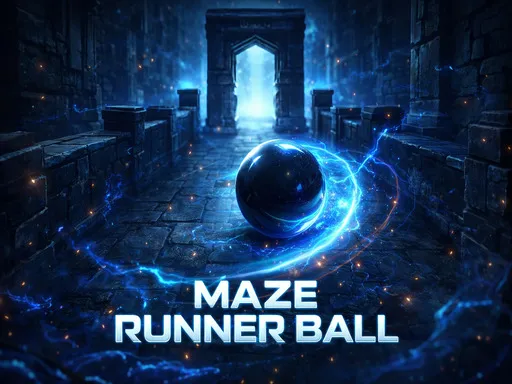
Stone corridors, one heavy ball, and either WASD or the arrow keys to push it through them. The look is dark — the ball is the brightest thing on screen, which keeps your eye where it needs to be — and the mazes are the classic sort where a wrong turn costs backtracking rather than a life. Nothing chases you and no clock appears anywhere. That makes it one of the calmer things to leave open in a browser tab, with the difficulty arriving through the length of a layout rather than through pressure of any kind.
How to Play
- Move the ball with WASD or the arrow keys.
- Follow one wall consistently once a maze starts branching.
- Back out of dead ends instead of guessing at the next junction.
- Keep track of which junctions you have already tried.
Maze Runner Ball FAQ
Which controls does it use?
Either set — WASD or the arrow keys, whichever your hand prefers. There is no separate action button, so movement is the entire interface and nothing else needs learning.
How do you play Maze Runner Ball?
Move the ball with WASD or the arrow keys. Follow one wall consistently once a maze starts branching. Back out of dead ends instead of guessing at the next junction. Keep track of which junctions you have already tried.
Is Maze Runner Ball free to play?
Yes. Maze Runner Ball is free to play in your browser on BreakArcade. There is no purchase, no subscription and no account required - open the page and press Play.
Do I need to download Maze Runner Ball?
No. Maze Runner Ball is an HTML5 game that runs inside your browser tab. Nothing is installed on your device, and closing the tab ends the session.
Can I play Maze Runner Ball on a school Chromebook?
Maze Runner Ball runs on any device with a modern browser, including low-powered school Chromebooks, because it loads in the browser rather than installing. Whether it opens depends on your network - some schools block the game host, which is outside our control.
More Puzzle Games



Last updated: 2026-09-19