Kids Kitchen Cozy Cooking
About Kids Kitchen Cozy Cooking
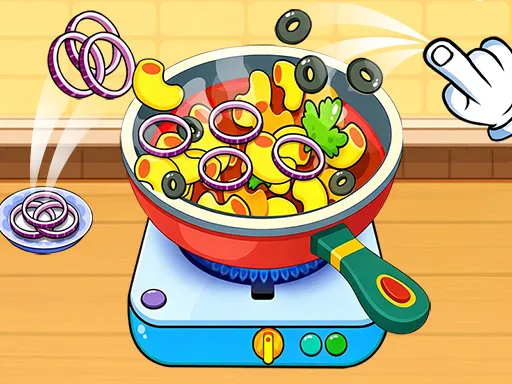
Onion rings, olives and a handful of herbs go into the pan one at a time, dragged in from the board beside the hob, and the pan responds to what you put in it rather than to a recipe you are graded against. The heat has its own controls on the hotplate. Ingredients keep arriving as long as there is room for them. No fail state shows itself anywhere, which suits the age group this is built for — the reward is watching a plain pan fill up into something that looks like an actual dish, and a session ends when the child decides it has.
How to Play
- Drag an ingredient from the counter into the pan.
- Add items one at a time and watch the dish change.
- Use the controls on the hotplate to adjust the heat.
- Keep going until the pan is as full as you want it.
Kids Kitchen Cozy Cooking FAQ
Do I have to follow a recipe?
No. Ingredients can go in any order and in any combination, and the dish assembles from whatever lands in the pan. That makes it a kitchen toy rather than a cooking test, which is usually what a game aimed at young children wants to be.
How do you play Kids Kitchen Cozy Cooking?
Drag an ingredient from the counter into the pan. Add items one at a time and watch the dish change. Use the controls on the hotplate to adjust the heat. Keep going until the pan is as full as you want it.
Is Kids Kitchen Cozy Cooking free to play?
Yes. Kids Kitchen Cozy Cooking is free to play in your browser on BreakArcade. There is no purchase, no subscription and no account required - open the page and press Play.
Do I need to download Kids Kitchen Cozy Cooking?
No. Kids Kitchen Cozy Cooking is an HTML5 game that runs inside your browser tab. Nothing is installed on your device, and closing the tab ends the session.
Can I play Kids Kitchen Cozy Cooking on a school Chromebook?
Kids Kitchen Cozy Cooking runs on any device with a modern browser, including low-powered school Chromebooks, because it loads in the browser rather than installing. Whether it opens depends on your network - some schools block the game host, which is outside our control.
More Idle & Tycoon Games




Last updated: 2026-09-19