Cat Block Puzzle
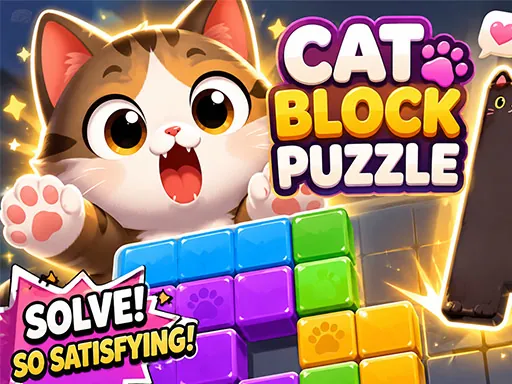
About Cat Block Puzzle
Picking up a cat block here takes a full click-and-hold, not a tap, and letting go too early drops it wherever your cursor happens to be instead of snapping it into the grid — which is the single most common way a level gets messy fast. Once a block locks into a grid cell it stays fixed, so there's no nudging a placement afterward if you guessed wrong about which cat shape fits which gap. The blocks come in a handful of set shapes rather than random ones, so after a few rounds you start recognizing which awkward L-shaped or notched cat fits a leftover corner instead of testing it blind. It's a slower, more deliberate puzzle than a timed match game, closer to fitting a real jigsaw piece than reacting quickly.
How to Play
- Click and hold on a cat block to pick it up — a quick tap won't grab it.
- Drag the block over the grid while still holding the mouse button down.
- Release the mouse button once the block lines up with an open space to lock it into the grid.
- On mobile, tap and hold a block, drag it into place, then lift your finger to drop and lock it.
Cat Block Puzzle FAQ
Why did my cat block end up outside the grid instead of placed?
Releasing the mouse button too early, before the block is actually lined up over an open grid space, drops it wherever the cursor was instead of snapping it into a cell. Holding the drag a beat longer until the block visibly overlaps the grid usually fixes it.
Can a block be moved again after it's locked into the grid?
No — once a block settles into a grid cell it stays there for the rest of the level, so there's no repositioning it if the spot turns out to be wrong for a later piece. It's worth pausing to check a gap's shape before committing a block to it.
How do you play Cat Block Puzzle?
Click and hold on a cat block to pick it up — a quick tap won't grab it. Drag the block over the grid while still holding the mouse button down. Release the mouse button once the block lines up with an open space to lock it into the grid. On mobile, tap and hold a block, drag it into place, then lift your finger to drop and lock it.
Is Cat Block Puzzle free to play?
Yes. Cat Block Puzzle is free to play in your browser on BreakArcade. There is no purchase, no subscription and no account required - open the page and press Play.
Do I need to download Cat Block Puzzle?
No. Cat Block Puzzle is an HTML5 game that runs inside your browser tab. Nothing is installed on your device, and closing the tab ends the session.
Can I play Cat Block Puzzle on a school Chromebook?
Cat Block Puzzle runs on any device with a modern browser, including low-powered school Chromebooks, because it loads in the browser rather than installing. Whether it opens depends on your network - some schools block the game host, which is outside our control.
More Puzzle Games


Last updated: 2026-09-19