Bike Master
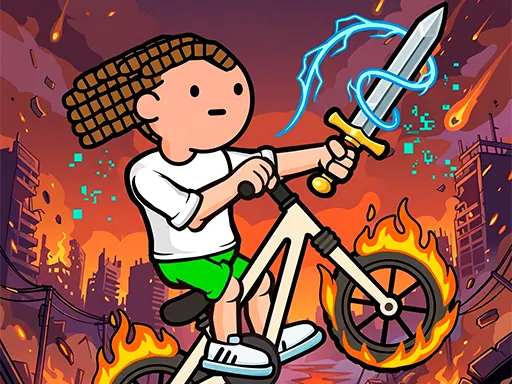
About Bike Master
Bike Master splits riding into two separate skills that most bike games merge into one: building the track and actually pedaling across it. Holding down the mouse or your finger draws a ramp, bridge, or slope to fill a gap in the course, and releasing locks that shape in place — only after that do the pedal buttons come into play, pushing the bike forward or back while you lean to keep it balanced on whatever you just built. A track piece that looks fine while you're drawing it can still send the bike flipping backward down a slope that's steeper than it looked, so testing your own construction is as much a part of finishing as building it.
How to Play
- Hold the mouse button or your finger down to draw a missing piece of track.
- Release to place that piece and lock its shape.
- Use the pedal buttons to move your bike forward or backward across it.
- Lean and balance as you ride — a track piece can still tip you over even after you've built it.
Bike Master FAQ
Does Bike Master finish the track for me, or do I have to build the whole thing?
You build every missing section yourself by holding and dragging to draw the shape, then releasing to lock it in — the game only gives you the start and end points of each gap. That means a badly angled piece is entirely on you, and re-drawing a steep drop before you ride it is usually faster than trying to balance through one that is too sharp.
Why does my bike flip over on a ramp I built myself?
The pedal buttons control forward and backward motion, but balance is separate and reacts to the actual slope of whatever you drew — a ramp that looks fine while drawing can still be steeper than the bike can handle at speed. Slowing down on your own steep sections usually prevents the flip that speeding through them causes.
How do you play Bike Master?
Hold the mouse button or your finger down to draw a missing piece of track. Release to place that piece and lock its shape. Use the pedal buttons to move your bike forward or backward across it. Lean and balance as you ride — a track piece can still tip you over even after you've built it.
Is Bike Master free to play?
Yes. Bike Master is free to play in your browser on BreakArcade. There is no purchase, no subscription and no account required - open the page and press Play.
Do I need to download Bike Master?
No. Bike Master is an HTML5 game that runs inside your browser tab. Nothing is installed on your device, and closing the tab ends the session.
Can I play Bike Master on a school Chromebook?
Bike Master runs on any device with a modern browser, including low-powered school Chromebooks, because it loads in the browser rather than installing. Whether it opens depends on your network - some schools block the game host, which is outside our control.
More Driving Games

Last updated: 2026-09-19