Memory
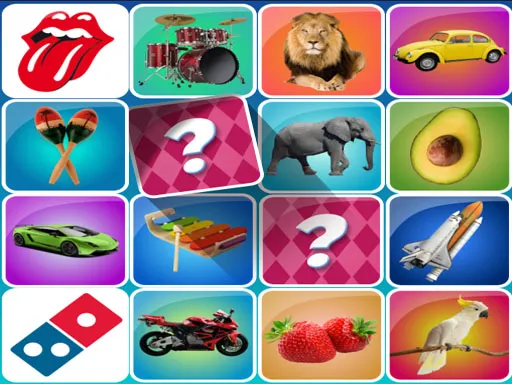
About Memory
Card pairs face down in a grid, turned over two at a time until everything is matched, is a format old enough that the only real variables are grid size and how much the artwork helps you remember. Cheerful cartoon icons here are distinct enough from one another that a card seen once tends to stay placed, which makes the larger grids fair rather than exhausting. Nothing has been added on top of the classic rules. As a short brain-training filler it does exactly what it says, and no more than that.
How to Play
- Click a card to turn it face up.
- Turn a second card to see whether the pair matches.
- Remember the positions of cards that did not match.
- Work through one region of the grid before opening cards elsewhere.
Memory FAQ
Is there a strategy beyond remembering?
Opening cards in a consistent order helps more than most players expect. Turning over cards at random makes recall harder than working through the grid region by region, because it gives your memory no structure to hang the positions on.
How do you play Memory?
Click a card to turn it face up. Turn a second card to see whether the pair matches. Remember the positions of cards that did not match. Work through one region of the grid before opening cards elsewhere.
Is Memory free to play?
Yes. Memory is free to play in your browser on BreakArcade. There is no purchase, no subscription and no account required - open the page and press Play.
Do I need to download Memory?
No. Memory is an HTML5 game that runs inside your browser tab. Nothing is installed on your device, and closing the tab ends the session.
Can I play Memory on a school Chromebook?
Memory runs on any device with a modern browser, including low-powered school Chromebooks, because it loads in the browser rather than installing. Whether it opens depends on your network - some schools block the game host, which is outside our control.
More Puzzle Games
Last updated: 2026-09-19